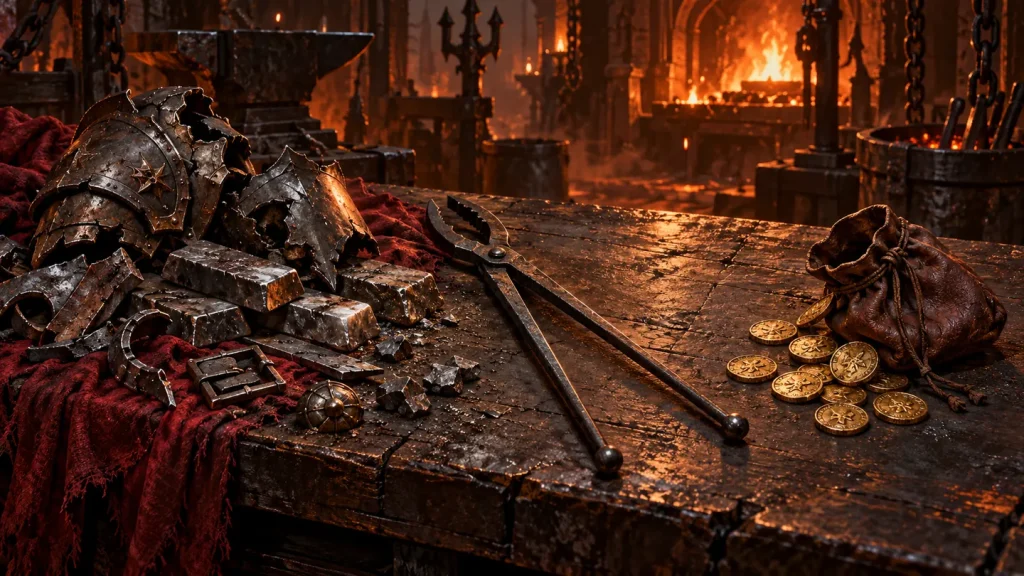
There is no permanent rule that every Diablo IV item should be sold or every item should be salvaged. The useful choice depends on your current resource shortage, the items you may still use and what the live salvage preview says you will receive.
Instead of following an inflexible disposal rule, build a short town routine. Protect useful equipment first, identify the resource you need next, then clear the rest deliberately. This guide does not assume fixed gold prices, salvage yields or unlock behavior across every version.
Sort useful items before choosing a disposal method
Separate equipment you wear, pieces needed for a specific build experiment and items that deserve a closer inspection. Read unfamiliar special effects before marking anything for bulk disposal. A rare-looking item is not automatically useful, but an unexplained effect is a reason to pause.
If the interface offers a favorite or protection control, use it for equipment you do not want included in a bulk action. Keep a working piece until its replacement has been tested. The gear comparison guide explains what makes that comparison meaningful.
Do not confuse ordinary equipment disposal with the rules for every other item type. Containers, consumables, crafting objects and special seasonal items can have different interactions. Read the relevant interface rather than assuming they all behave like armor.
Identify your next resource bottleneck
Ask which useful action you are preparing to take. You might need gold for a planned service, materials for an eligible improvement, or simply room to keep playing. The answer should come from the current crafting or vendor preview, not from a habit formed several patches ago.
If you do not have a planned purchase or upgrade, there is less reason to optimize every individual drop. Choose a consistent approach that preserves a sensible working supply of both gold and materials, then revisit it when a real shortage appears.
When salvaging deserves priority
Salvaging is worth considering when its displayed returns address a material shortage you can name. It may also be relevant when the interface identifies another benefit attached to dismantling a particular item. Check that benefit explicitly; do not assume every rarity or special effect follows the same rules.
Before a bulk salvage action, review the selection. Confirm that the items are genuinely unwanted and that the preview matches the material you are trying to obtain. A large pile of equipment is not helpful if it produces resources unrelated to your immediate goal.
Keep salvage decisions separate from speculative crafting. Obtaining more materials does not make an unnecessary upgrade worthwhile. First choose the improvement, then decide whether the required resources are a reasonable use of your inventory.
When selling deserves priority
Selling is worth considering when gold is the constraint on a useful, planned action and the items have no remaining build value. Compare the vendor’s actual offer with your current needs. Avoid using an old online price table as a guarantee of what your character will receive.
A gold shortage does not require you to sell every potentially useful piece. Protect a small set of relevant alternatives, sell clear rejects, and stop when you have enough working room for the intended action. The goal is to fund progress, not to maximize a balance while neglecting your character.
Use a two-minute town routine
- Check equipped gear and protect specific alternatives.
- Read any unfamiliar special effects.
- Inspect the cost of your next planned service or upgrade.
- Choose salvage or sale based on that bottleneck.
- Review bulk selections before confirming.
- Return to your chosen activity rather than reopening every rejected item.
The two-minute target is a personal workflow suggestion, not a game requirement. Take longer when a genuinely important drop needs attention. Save time by simplifying ordinary decisions, not by rushing irreversible ones.
Keep your storage policy specific
A useful stash item should have a reason attached to it: current build replacement, named alternate setup or a particular comparison you intend to make. If you cannot explain why you kept a piece, review it instead of storing duplicates indefinitely.
Group alternatives by purpose rather than by how exciting they looked when they dropped. A small, understood collection is easier to evaluate than many tabs of unrelated possibilities. Review those alternatives when your build changes, because yesterday’s useful backup may no longer address today’s needs.
For resource-heavy upgrades, set a spending limit before leaving town. Our crafting planning guide connects that budget to the expected life of the item.
Loot disposal questions
Should I always salvage legendary items?
Not as a universal rule. First inspect whether you need the item or an explicitly displayed salvage benefit. Then compare your current material and gold needs using the live interface.
Should I sell everything while leveling?
No fixed disposal rule fits every stage. During frequent gear replacement, protect only clear uses and maintain resources for the systems you actually use. Review the balance when a specific shortage appears.
Can I recover equipment after a mistaken bulk action?
Do not depend on being able to undo an action. Recovery options and limits can vary by action. Treat confirmation as consequential, and protect useful items before using bulk controls.
Continue reading
- Diablo IV Gear Guide: Compare Affixes Before You Upgrade
- Diablo IV Tempering and Masterworking: Plan Before Spending
- Diablo IV Endgame Progression: Plan One Useful Session
Browse the complete Diablo IV Guides collection.
Sources and editorial notes
For game access, current features and version-specific changes, consult the official Diablo IV website and official Diablo IV patch notes. This article provides general progression advice, not a current-season build ranking or a guarantee of rewards. Live in-game requirements and tooltips take precedence over older guides.
Cover image: AI-generated original editorial illustration, not an official gameplay screenshot or an exact item depiction.